

Resource Exchange: How to List Lots and Avoid Losing 5% Deposit
Resource Exchange: How to List Lots and Avoid Losing 5% Deposit
The economy in War for Galaxy is rarely perfectly balanced. Titanium may accumulate on one planet, while another lacks silicon for construction, and research or a new batch of ships hits a bottleneck due to antimatter. Production proceeds, colonies develop, but one resource sits idle while another holds back progress. In such cases, the War for Galaxy Resource Exchange becomes not just an extra interface button, but a full-fledged tool for managing your empire.
The Exchange is a trading platform where players swap resources: titanium, silicon, and antimatter. If you have an excess of one resource and shortage of another, you can list a lot or purchase a suitable offer from another player. All Exchange deals are instant, so a successful trade can immediately cover shortages—launch construction, continue research, prepare your fleet, or simply balance stocks across planets.
For this galaxy game that combines browser strategy games, online strategy games, and space MMO games, this is especially important. In space strategies, victory isn’t just about building more ships and engaging in more battles. A strong player anticipates resource needs, watches the market, and avoids letting a shortage of silicon or antimatter pause development.
However, there is a cost to inattention on the Exchange. You can list a lot quickly, but errors in price, timing, cancellation, or limits can lead to losing a 5% insurance deposit. This guide explains how the War for Galaxy Resource Exchange works, how to safely list lots with titanium, silicon, and antimatter, where to check your transaction history, and how to prevent losing 5% due to rushed decisions.
How the Exchange Works: Resources, Rates, Charts, and Active Lots
The basic logic is simple: one player lists a lot, another buys it. Sellers specify which resource they offer and which resource they want in return. You can trade three resources: titanium, silicon, and antimatter. For example, if a planet has plenty of titanium but lacks silicon, you can list titanium and request silicon. If another player agrees with your rate, they buy the lot, and the deal happens immediately.
It is important not to confuse two different 5% rules. When buying a lot, a 5% commission is deducted from the buyer. The seller receives exactly the amount specified in the lot after a successful sale. This is a separate mechanic from the seller’s deposit, which is lost if the lot is manually cancelled or automatically removed after expiration.
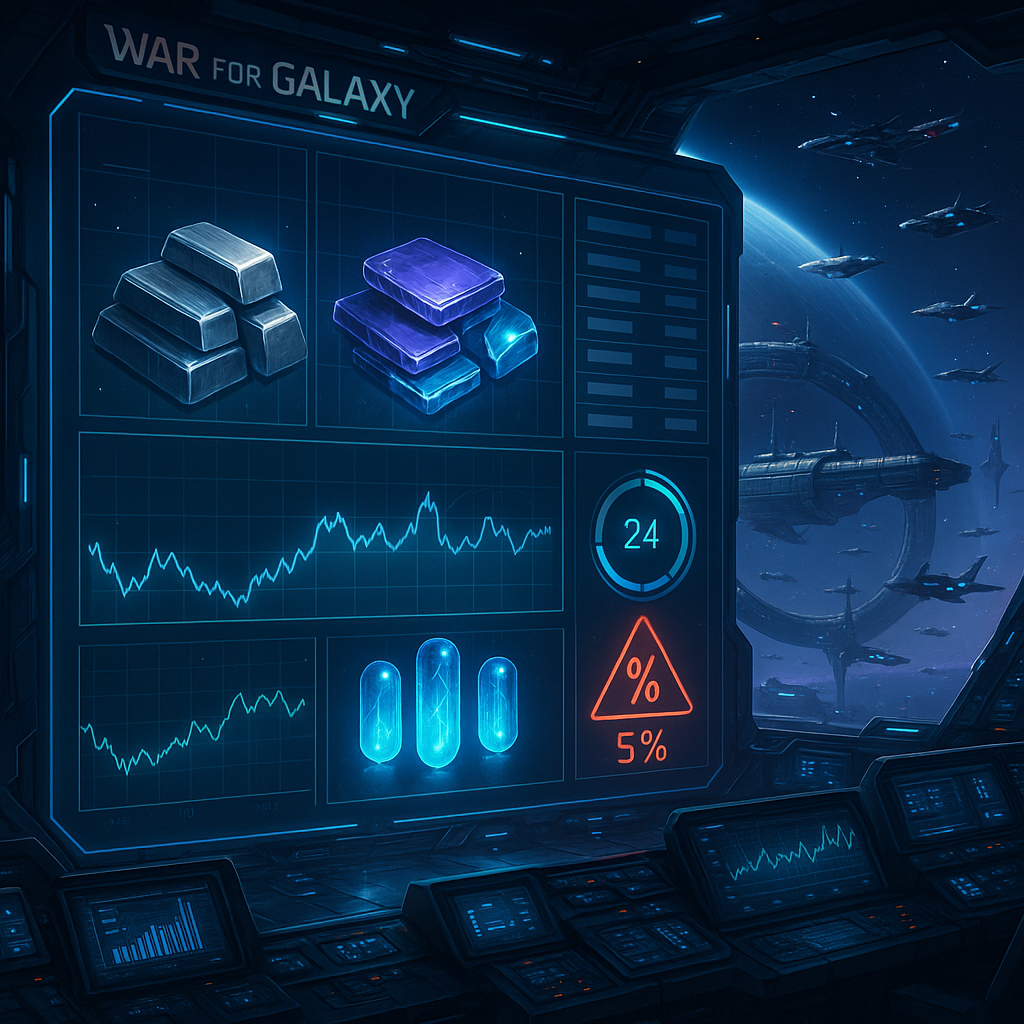
The Exchange interface helps you avoid blind trading. You can see active lots from other players grouped by resource. You can view titanium, silicon, or antimatter offers separately, compare volumes, and assess how competitive your future lot will be. This is especially useful if you want to quickly solve a specific economic task instead of exchanging resources "someday."
The interface also shows current market rates with trend indicators up or down. For strategy game economies, this is like reconnaissance before battle: trends don’t guarantee perfect decisions but show market direction. If the rate is falling, an overly stringent offer may linger. If the rate rises, you can choose the moment to sell more carefully, especially if the resource is in demand.
Another helpful tool is the price change chart over the last 24 hours. It helps distinguish a random spike from sustained movement. In real-time strategy games, demand changes due to player actions: some build fleets, others complete research, some prepare for battles or recover after attacks. So the 24-hour chart is useful for understanding current market rhythm rather than predicting the future.
Separately, the interface lists your planets with indicators of active lots and timers. For players with multiple colonies, this is critical: the Exchange doesn’t operate in a vacuum but connected to mining, storage, construction, and fleet plans. Before creating a new offer, check where active lots already exist, how much time remains, and which planet is free for the next deal.
How to List a Lot: Limits, Checks, and the One-Planet Rule
Listing a lot seems simple: choose a planet, select resource, set amount and rate. But this is where players most often lose momentum by trading "by eye" without checking restrictions. It’s better to consider a lot as a small economic operation needing preparation.
First, select the planet you want to trade from. Then decide which resource you sell—titanium, silicon, or antimatter—and which resource you want in return. After that, check the amount and the planet’s status. Main rule: only one active lot per planet is allowed. If the selected colony already has an offer, you cannot list a second lot from it.
For an empire with multiple planets, this is not a problem but part of planning. One colony might sell excess titanium, another trade silicon, and a third remain lot-free if construction, research, or an attack risk is imminent. The more planets you have, the more important it is to know which is trading now and which should keep resources for internal use.
When listing a lot, the system automatically checks several conditions. First, is there enough resource on the chosen planet? You cannot sell what isn’t there. Second, is there space to receive the incoming resource? If your storage cannot accept the amount, the trade won’t proceed. Third, are the Exchange limits respected?
The limits are clear. Minimum lot size is 5,000 resource units. Too small trades cannot be listed. Maximum lot size is 60,000,000 units of conditional value. Note: this maximum is based not simply on resource quantity, but on conditional worth. So large lots must be evaluated not just by volume but by whether they fit within the Exchange's top limit.
There is also a combat restriction: you cannot list a lot if the planet is under attack. The Exchange should not become an emergency warehouse dump button during an incoming enemy fleet. At the same time, resources listed on the Exchange are immediately locked and protected from raiding. This defensive nuance is helpful but not a universal defense strategy. Proper planet control, scouting, fleet saving, and defense remain crucial.
Another rule prevents circumvention: you cannot buy your own lot even from a different planet. That is, listing resources on one colony and buying them yourself from another won’t work. The Exchange is for player-to-player resource trading, not internal transfer within an empire.
Where 5% is Lost: Cancellation, 24-Hour Timer, and Stuck Lots
The main practical mistake is confusing the buyer’s 5% commission with the seller’s insurance deposit. Buyers pay a 5% fee when purchasing; sellers receive full amount after a successful sale. The deposit is lost if the seller manually cancels or the lot expires without purchase.
A lot remains on the Exchange for 24 hours. During this time, another player can buy it, and the transaction occurs immediately. If no buyer appears, the lot automatically removes at expiration. Crucially, the deposit is not returned upon automatic removal. Thus, the approach "I'll list it casually and see" is risky if your rate is far off market and you’re unprepared for the risk.
You can cancel a lot manually, but this isn’t a free "changed my mind" button. Cancelling costs you 5% of the lot amount as insurance deposit loss. If you list resources and shortly after spot a better rate and decide to re-list, the loss is real. In War for Galaxy’s economy, such a small loss quickly translates into missing resources for building, research, or fleets.
Typically, 5% is lost in three scenarios. First: the rate is set too high. The player wants maximum return, sets harsh terms, the lot lingers, the timer runs out, and after 24 hours it’s removed automatically. Second: emotional cancellation. The lot is listed, but the player sees another offer, changes their mind, alters the rate, and loses deposit on manual cancellation. Third: forgotten timer. The offer was reasonable when created, but the market changed, no buyer appeared, and the player didn’t check in time.
A good practical tip from the game encyclopedia is simple: if you want to sell quickly, price below market. This doesn’t mean mindless dumping, but your lot must be more attractive than others if your goal is to quickly get needed resources without reaching the 24-hour expiry.
If your goal is maximum profit, be ready to wait. A better rate can work, especially if other players really need the resource. But waiting is a risk, not a guarantee. The more your rate is detached from the market, the higher the chance your lot will freeze, costing you 5% via cancellation or expiry.
Treat trading as seriously as managing fleets and space battles. In online strategy games and space combat games, economy often decides the campaign outcome before the first shot. Players who skillfully manage titanium, silicon, and antimatter gain advantage not only in resource extraction but also in development speed.
Where to Find Operation History: Communications Officer Notifications
Transaction history on the Exchange is not in a separate "trade archive" tab. After each operation, the game sends messages to the "Notifications" section. You can open this by clicking the Communications Officer’s image in the bottom left corner of the screen.
Messages appear for key events: lot purchase, cancellation, and expiration. If your lot is bought, you get a notification like: "Your LOT on planet [Name] [X:Y:Z] has been purchased." If the lot expires without a buyer and is removed by timer, you see: "Your LOT on planet [Name] [X:Y:Z] has been removed from trading. Time expired."
This is important because notifications are the only source of information about your lot’s fate. Don’t rely on memory or estimated timing. If you trade from multiple planets, it’s easy to mix up which had titanium listed, which sold silicon, or where antimatter was expected. Regularly checking the Communications Officer helps you see which lots sold, which expired, and which require reassessing price or timing.
A good habit: after listing a lot, remember the planet and periodically check notifications. If sold, plan your next move. If expired, reconsider your rate. If you cancelled, record your deposit loss and avoid repeating mistakes unnecessarily. For an average player, this discipline noticeably improves economic stability.
Pre-Listing Checklist
Before sending titanium, silicon, or antimatter to the Exchange, go through this short checklist. It takes less than a minute but helps avoid losing 5% insurance deposit from hasty clicks.
- Understand the exchange: know which resource you sell and which you want.
- Check the planet: ensure it doesn’t have another active lot due to the one lot per planet rule.
- Planet not under attack: cannot list if an attack is ongoing.
- Enough resources: the chosen planet has the required titanium, silicon, or antimatter amount.
- Storage space available: storages can accept incoming resource volume.
- Limits respected: minimum 5,000 units, maximum 60,000,000 conditional value units.
- Timer accounted for: lot lasts 24 hours.
- Deposit considered: manual cancellation or expiry leads to 5% deposit loss.
- Rate appropriate: for quick sales, set below market; for maximum profit, be ready to wait and accept risk.
- Communications Officer monitored: track your lot’s fate via notifications after listing.
The War for Galaxy Resource Exchange is more than just a place for trading. It is part of strategic planning linking mining, construction, research, fleets, and player markets. In space, browser, and spaceship strategy games, victory goes not only to those who build powerful ships but also to those who avoid losing resources through interface errors, forgotten timers, and rashly listed lots.
Ready to trade without unnecessary losses? Enter War for Galaxy, check your planets, find resource imbalances, and list your first well-planned lot. If you want to play conveniently, visit the download page: download War for Galaxy. Let the Exchange work for your empire, not write off 5% due to carelessness.